【ubuntu26.04】Ubuntu ISOにAutoinstallを埋め込む方法
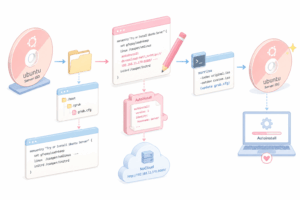
Ubuntu ServerのISOを編集して、起動直後にAutoinstallが始まるようにする。 通常はGRUB画面で毎回、次のカーネルパラメータを手入力する必要がある。例えば以下のようなパラメータをGRUBで入力する必要がある。 autoinstall ds=nocloud-net\;s=http://192.168.11.170:8080/ これをISO内のgrub.cfgに埋め込んでおくと、ISOから起動するだけで自動インストールを開始できる。 環境 作業はUbuntu 上で行う。 今回の例ではUbuntu Server26.04のISOを使う。 ubuntu-26.04-live-server-amd64.iso 必要なパッケージを入れる。 sudo apt updatesudo apt install -y xorriso squashfs-tools rsync インストールパッケージは以下になる。 パッケージ 役割 xorriso ISOファイルを展開・再作成するためのツール。カスタムUbuntu ISO作成で使う squashfs-tools Ubuntuインストーラ内の圧縮ファイルシステムを展開・再圧縮するためのツール … Continue reading 【ubuntu26.04】Ubuntu ISOにAutoinstallを埋め込む方法

0 Comments